Simplify Your Digital World to Cut Stress and Boost Control
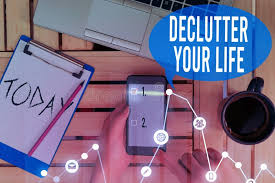
Digital Declutter Stock Photos - Free & Royalty-Free Stock Photos from Dreamstime Get this image on: Dreamstime.com Copyright: Artur Szczybylo | Dreamstime.com
For busy parents juggling work, family schedules, and everyday admin, daily digital overload can feel like a second job that never ends. Digital clutter stress shows up as inbox chaos management that keeps important messages buried, password overwhelm that turns simple logins into roadblocks, and file disorganization that makes “where did I save that?” a daily annoyance. Add notification fatigue, pings, badges, and banners pulling attention in every direction, and it’s no wonder focus feels fragile. Relief starts with recognizing these frictions as common and fixable, so control can return.
Quick Summary: Regain Control of Your Digital Life
- Start with a fast digital triage to spot the biggest clutter and stress triggers.
- Streamline inbox workflows to reduce overwhelm and keep messages actionable.
- Strengthen password security basics to protect accounts and lower mental load.
- Build a simple file organization system to find what you need quickly.
- Control notifications intentionally to cut interruptions and stay focused.
Build a Simple Digital Triage in 30 Minutes
This process helps you pinpoint the one digital issue causing the most daily friction, then set up a few small systems that make everything feel calmer. For most people, the win is not “perfect organization” but quick relief you can maintain without a tech overhaul.
- Identify your biggest digital pain point
Start by choosing one area that creates the most stress right now: inbox, passwords, files, or notifications. Use a quick triage mindset where you make fast, informed choices about where to spend effort, similar to how digital forensic triage focuses attention before doing deeper work. Write your pick on a note so you do not drift into side quests. - Do a fast inbox reset (15 minutes)
Create three folders or labels: Action, Waiting, Archive, then move only what you can clearly sort right away. Unsubscribe from obvious noise and search for “unsubscribe” or “newsletter” to batch-delete clutter. The goal is speed and visibility, not reading every message. - Set up a password manager and move 5 logins
Pick a reputable password manager, turn on a strong master password, and enable two-factor authentication if offered. Then add just five accounts you use often, like email, banking, shopping, and your phone account, so you feel the benefit immediately. This reduces reset loops and makes future cleanups easier. - Create a folder naming rule you can repeat
Choose one simple pattern and stick to it, such as YYYY-MM Topic Description or Topic Subtopic Date. Make three top-level folders only, like Personal, Work or School, and Receipts and Records, then file the next ten items you touch using your new rule. Consistency beats complexity because it makes searching predictable. - Filter notifications by priority
On your phone, decide which apps deserve instant attention, which can wait, and which should stay silent. A helpful guideline is to categorize notifications into high, medium, and low priority so you can keep only truly time-sensitive alerts turned on. You are protecting focus, not trying to be reachable every minute.
Simple Routines That Keep Digital Life Calm
These habits turn your one-time reset into a steady, low-stress rhythm. They work because they are small enough to repeat, and repetition is what builds confidence and control over time.
Weekly Digital Review
- What it is: Do a weekly review of inboxes, notes, and open loops.
- How often: Weekly
- Why it helps: You stop carrying reminders in your head.
Two-Minute Inbox Sweep
- What it is: Scan for urgent items, file quick wins, and delete obvious noise.
- How often: Daily
- Why it helps: Your inbox stays readable without marathon sessions.
Five Logins a Month
- What it is: Add five accounts to your password manager and retire reused passwords.
- How often: Monthly
- Why it helps: Security improves gradually with minimal effort.
Ten-Item File Tidy
- What it is: Put ten recent downloads into labeled folders using one naming rule.
- How often: Weekly
- Why it helps: Search gets faster and piles stop forming.
Notification Office Hours
- What it is: Check non-urgent apps only at two set times.
- How often: Daily
- Why it helps: You reclaim attention and reduce stress spikes.
Common Questions About Digital Decluttering
Q: What is a digital triage and how can it help me identify my biggest sources of digital stress?
A: Digital triage is a quick scan of your digital life to spot what hurts most right now, not what is “perfect.” Start by listing your top three stress triggers (email, photos, downloads, notifications) and pick the one that causes the most daily friction. Many people feel buried because Americans admit they keep far more data than they need.
Q: How can I effectively manage my email inbox to prevent it from becoming overwhelming?
A: Keep only a few folders or labels: Action, Waiting, and Archive, then file fast and search later. Do an unsubscribe spree so new clutter stops arriving. If a message takes under two minutes, reply or delete it immediately.
Q: What are simple but secure ways to handle and organize my passwords without feeling overwhelmed?
A: Use one password manager and commit to adding accounts gradually instead of in one exhausting weekend. Turn on two-factor authentication for your most important logins first (email, banking, primary shopping). Keep a recovery plan: updated backup codes and a safe place for your master password hint.
Q: How can I set up boundaries for digital notifications to reduce daily distractions?
A: Flip the default: allow only calls, messages from key people, and time-sensitive alerts. Batch-check everything else at set times, and remove badges for apps that are designed to pull you back in. If you feel anxious turning alerts off, start with one noisy app for 48 hours.
Q: If I want to use a digital service to help automate parts of my digital cleanup, what should I look for?
A: Prioritize tools that make it easy to export your data, so you are never locked in. Look for strong privacy controls, clear permission prompts, and simple rules you can understand at a glance. For paperwork, choose a service that can run OCR so scanned PDFs become searchable text before you file them.
A Simple Reset Plan for a Calmer, More Controlled Digital Life
When messages pile up, files scatter, and alerts keep interrupting, it’s easy to feel like the digital world is running the day instead of supporting it. The steady approach here is a digital life improvement plan built on small, repeatable decisions, reduce noise, keep what’s useful, and create a home for what matters. Follow it and the stress reduction benefits show up quickly: fewer frantic searches, less mental clutter, and more confidence that important things won’t slip through. Clearer systems create calmer days. Pick one next step today: run the one-hour digital starter plan or schedule the monthly digital maintenance checklist on your calendar. That simple structure protects attention, energy, and connection over the long run.