“A Technology Ahead of Its Time”

Image from c64wiki.com, image is from a shared repository and may be used elsewhere, it is a photo of a Turbo Computer brand Lightpen.
I was digging through some boxes of old computer hardware last week and came across a device that I built sometime in the early 1980s. I really wish I could find the old article in one of the many computer and electronics magazines of the day, but at least I found the device. It was called a light pen, which was a precursor to the mouse, or at least came about around the same time. You might say it was the equivalent of the touch screen, only it didn’t actually require you to touch the screen.
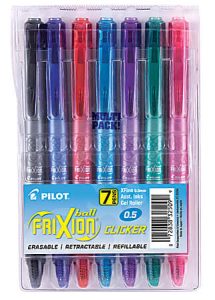
The plans for the homemade light pen were fairly simple—it required a photo-transistor, and a push button switch was usually mounted inside a gutted magic marker. This simple circuit connected to the joystick port on the Commodore computers and would create a signal that told the computer the location it was near on the screen when the button was pushed. Sadly this device will only work with older CRT televisions and monitors. I will explain why as we get into how this early screen control device worked.
First off you need to know about the Cathode Ray Tube (CRT). It is the big, glass, tube-shaped device that displayed the picture on the old televisions and monitors. Unlike modern televisions, the CRT did not actually display the entire picture at once, but rather sent a single beam of light that traced a pattern from the upper left corner to the bottom right corner of the screen, running across the screen and then down a row. It completed this cycle across the entire screen around 60 times per second. If you ever tried to take a picture of a CRT television, you would almost always get a picture that looked like the television was off, or at the very least you would only see a partial picture.
It is this tracing action on the screen that allows the light pen to work. You see, on these 1980s computers, they drew the images on the screen by controlling the intensity of the beam on the CRT tube. The light pen would detect the beam, and since the computer was controlling the beam, it knew exactly where the beam was when the light pen detected it. This made it very simple to build screen-based controls around this knowledge. This gave us the ability to interact with the screen through touch nearly two decades before the first touch-screen based computer interface.
I can still remember using the light pen to draw images on the screen and control the character in video games. It was a great replacement to the joystick and mouse of the early computing days. However, it never really took off as an interface device for two main reasons. The first was that only one company made a commercial version of the light pen and they sold it alongside their computer-aided design software, which made the device expensive for those of us who did not have the skills to build our own. The second reason is related to the expense of the device because there was a lot of competition in both the computer and computer gaming market in the early 1980s, so price was important if you wanted your software to sell. As a result developers avoided writing software that required the use of the light pen.
This is just one of several devices that you might say were just too advanced for the computers of the day and didn’t take off very well, but in the case of the light pen, we have the touch-screen technology today that none of us could live without. Could you imagine having to use a keyboard and mouse to operate your touch-screen based cell phone? Or worse yet, when the light pen first came out, computers only had key-based controls, including the joystick, which was a fancy case around five push buttons, or keys, you used to navigate your cursor on the screen through pressing keys and there was no easy way to drag and drop text, or edit images. The light pen may have taken the place of the mouse, had it been a little more accurate and computer screens been a little smaller.
I hope you enjoyed learning about this old technology that made an attempt to improve user interfaces on computers, but was just ahead of its time. Until next week, stay safe and learn something new.
Scott Hamilton is an Expert in Emerging Technologies at ATOS and can be reached with questions and comments via email to shamilton@techshepherd.org or through his website at https://www.techshepherd.org.